Plugin Settings
Learn how to change the settings of the React Native plugin.
On this pagePlugin Settings
This section assumes some basic familiarity with the following Unreal Engine concepts:
If you are new to these concepts, take some time to familiarize yourself with them before continuing.
Our basic Hello World example was loading JavaScript code from a development server. While the default configuration is fine for a simple project, it is important to understand how rnue finds the development server and where to change the address it uses to look for it.
The plugin settings are accessible from the Plugins section of the Unreal Engine project settings.
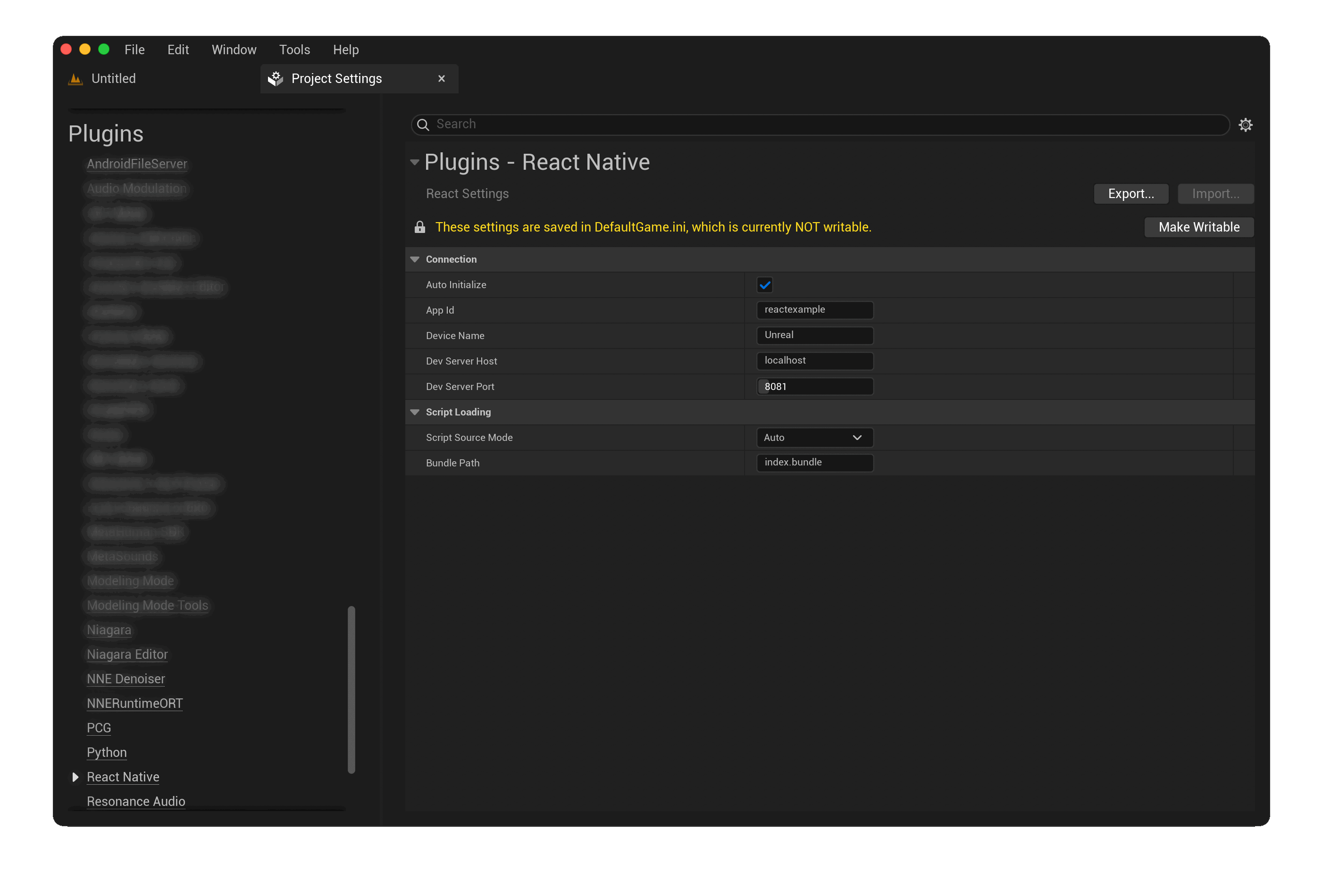
Plugin Settings
Connection
Setting | Default Value | Note |
|---|---|---|
| Auto Initialize | On | Whether the surface should automatically initialize the React Native runtime and mount the component upon game start |
| App Id | reactapp | The self reported application identifier that the native runtime will report to the JavaScript environment |
| Device Name | Unreal | The self reported Device Name that the native runtime will report to the JavaScript environment |
| Dev Server Host | localhost | The host name or IP address of the development server |
| Dev Server Port | 8081 | The port number of the development server |
Important
When testing a rnue project on a mobile device, make sure that your Dev Server Host is discoverable by the device. Read more about this in the Cookbook entry on this topic.
Script Loading
Setting | Default Value | Note |
|---|---|---|
| Script Source Mode | Auto | Auto, Development Server, Bundle. Auto defaults to Development Server for development builds and Bundle for shipping builds. |
| Bundle Path | index.bundle | The path relative to the project's Content/ where the compiled bundle will be searched for at build time. |
Remember
Entry points tell React Native which component to mount and allow one project to bundle multiple surfaces.