App Entry Points
Learn how to use multiple entry points in your app.
This section assumes some basic familiarity with the following React Native concepts:
If you are new to these concepts, take some time to familiarize yourself with them before continuing.
In the previous section, we created a basic Hello World surface that displayed the React Native components we served through our development server. But how did rnue know which component to mount?
To understand that, let's revisit our widget blueprint and pay attention to the Details pane. We can see that the React Surface widget has a configurable Module Name parameter.
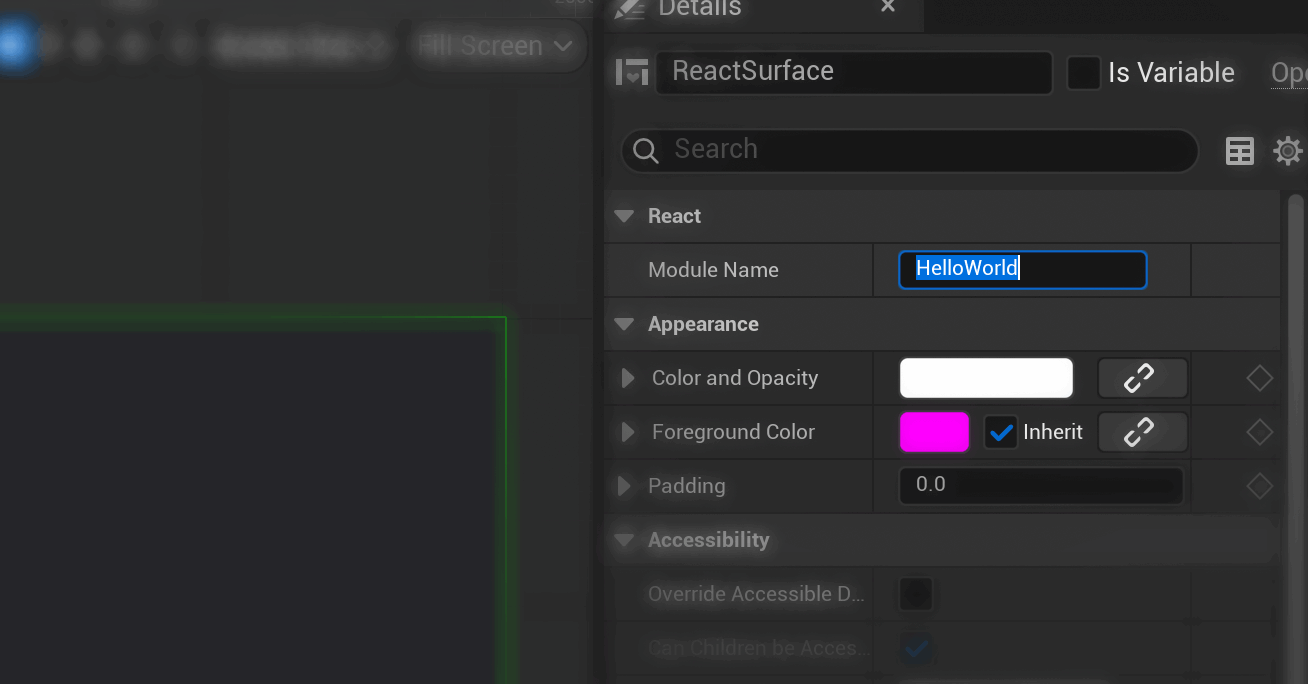
The generated index.ts reads this value from app.json and registers the component:
import { AppRegistry } from 'react-native';
import App from './src/App';
import app from './app.json';

AppRegistry.registerComponent(app.name, () => App);
For the hello-world project, app.name is HelloWorld. Use that value for the React Surface's Module Name.
While the simple "Hello World" example assumes a single App component as an entry point, a more complex project can have multiple entry points.
A classic example of this is a game that has a MainMenu and an in-game HUD that shows things like ammo, health and player inventory items.
Remember
Entry points tell React Native which component to mount and allow one project to bundle multiple surfaces.